Drip Edges & Spouts
Buildings don't stop dripping the moment the rain does. Water keeps coming off ledges and eaves, and pouring out of drainpipes and gargoyles, for a while afterwards. Drip edges and spouts add that water.
Their drops and streams start a little after the rain begins, carry on for a while after it stops, and make ripples where they land in water.
Where each drop and stream lands is worked out in the editor, so you don't need colliders at runtime. They land on mesh renderers on the controller's Gets Wet layers, which each inspector shows as Lands On. With no controller in the scene, every layer counts.
Working on a big level? Set Simulate Within (m) on the controller's Setup tab. In Play mode, drip edges and spouts farther than that from the camera stop firing splashes, ripples and drip sounds, though they're still drawn. The Low quality tier turns their ripples off.
Drip edges
A drip edge is a line you draw for water to drip from, such as an overhanging ledge or an eave without a gutter.
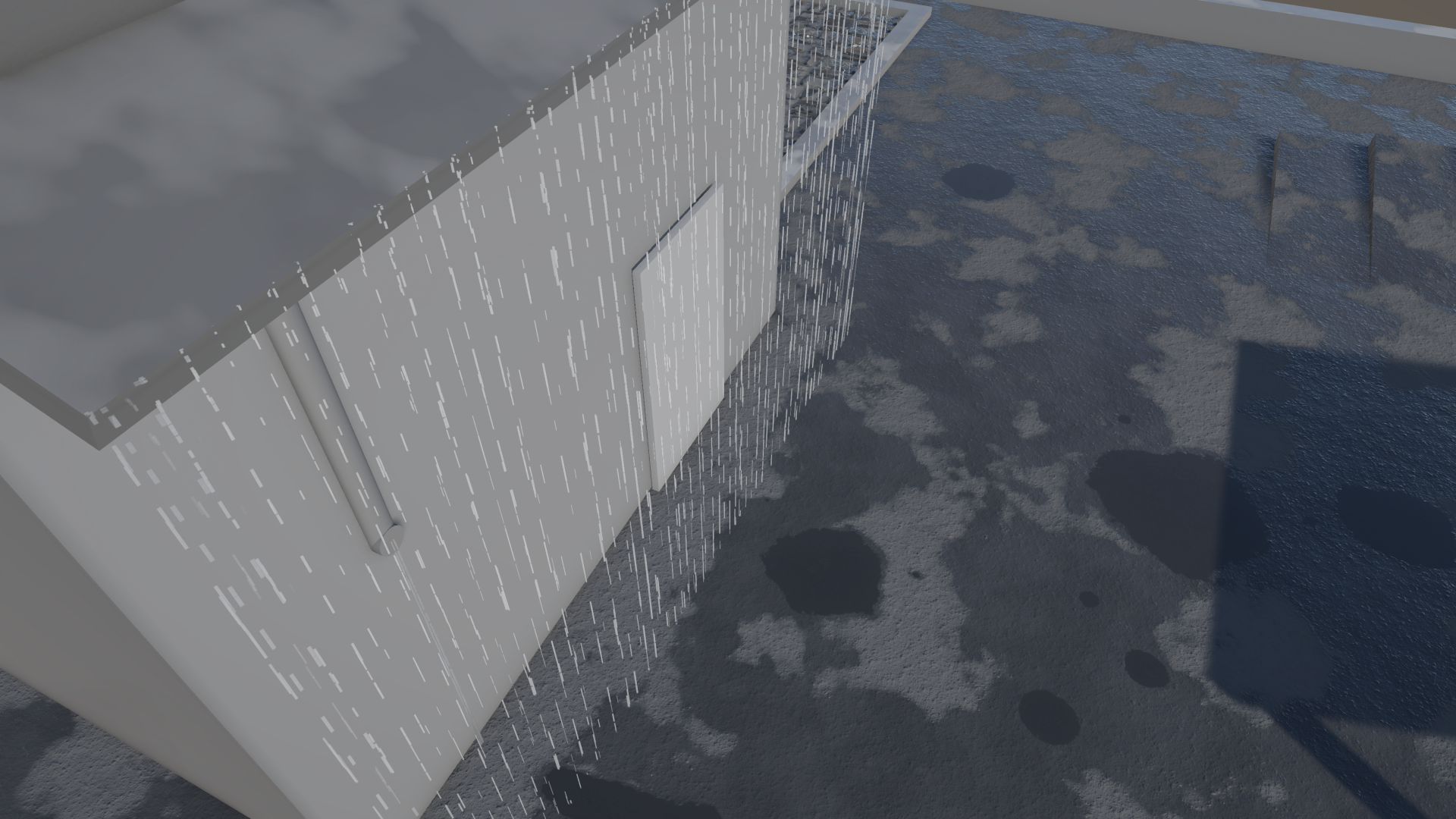
To add one, use Tools > Puddlecraft > Create > Drip Edge, or pick Draw Drip Edge in the Puddlecraft tools and click along an overhang to add points. They snap to ledge creases, so you don't need to be precise. Enter or Escape finishes the edge; Backspace removes the last point.
To change it later, use the Edit tool. Drag the yellow arrows at either end to lengthen or shorten the edge, and Ctrl-click a point to delete it.
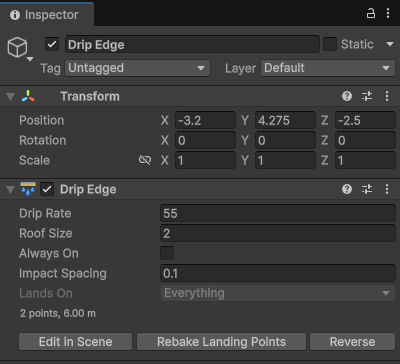
| Setting | What it does |
|---|---|
| Drip Rate | Drops per metre of edge per second at full rain. 0 stops the edge dripping. |
| Roof Size | How far the roof stretches back from the edge, in metres. A small awning starts dripping soon after rain begins and dries up soon after it stops; a big roof takes longer to get going and keeps dripping for minutes after the rain. |
| Always On | Drips at full strength whatever the weather, like an overflowing gutter. |
| Impact Spacing | Distance between baked landing points along the edge, in metres. |
Rebake Landing Points traces where the drops land again, and Reverse flips the order of the edge's points.
Spouts
A spout is a point (or a short outlet) that pours water in one direction, like a drainpipe or a gargoyle.
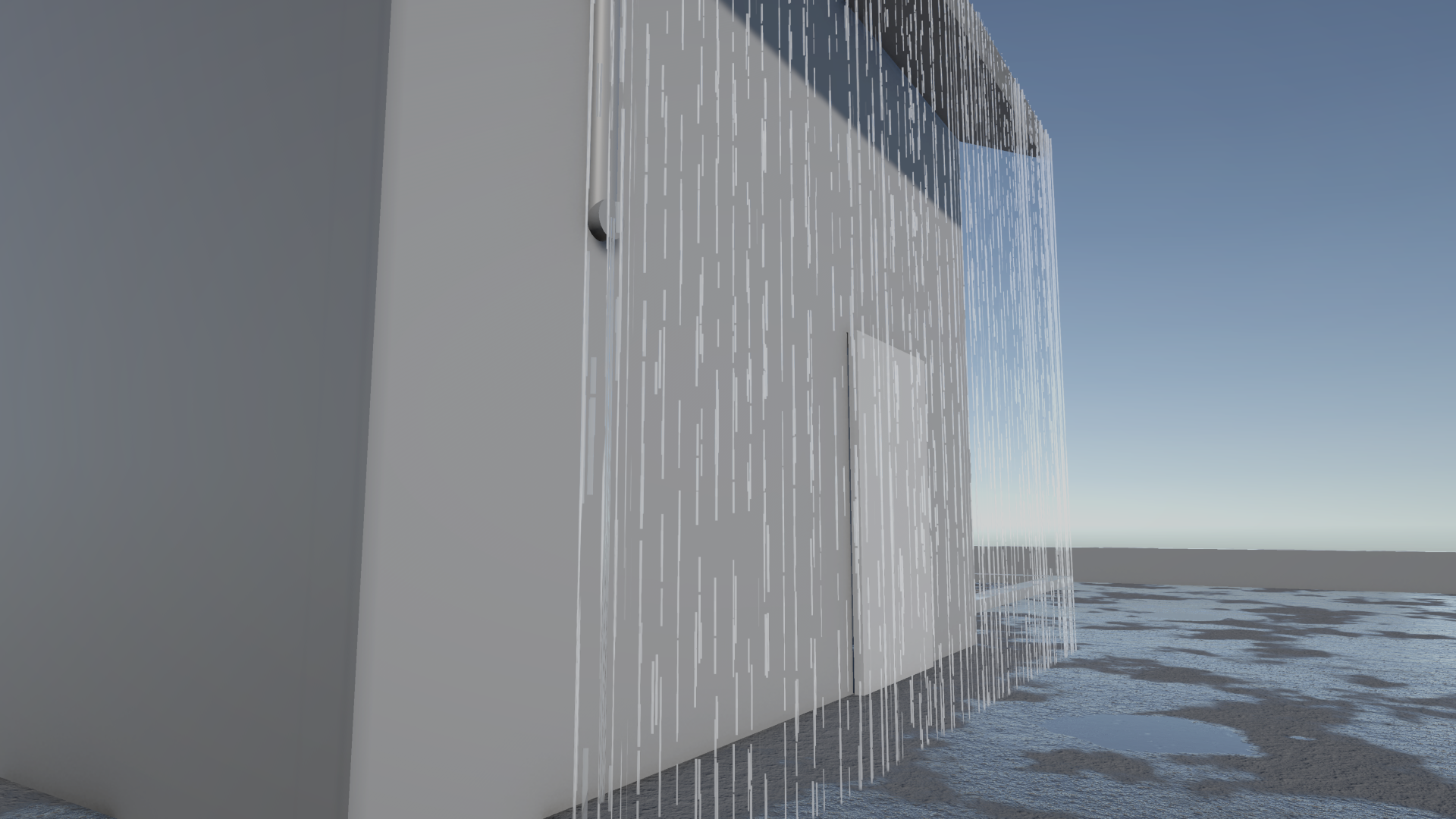
To add one, use Tools > Puddlecraft > Create > Rain Spout, or pick Place Spout in the Puddlecraft tools and click a wall or edge. The new spout points away from whatever you clicked. Aim it afterwards with the Move tool.
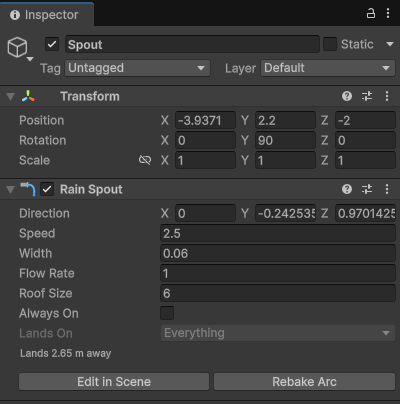
| Setting | What it does |
|---|---|
| Direction | Direction the water leaves the outlet, in local space. |
| Speed | Speed the water leaves the outlet, in metres per second. |
| Width | Width of the outlet in metres. 0 is a single point. |
| Flow Rate | Relative amount of water at full rain. Scales the stream, splashes, ripples and sound. |
| Roof Size | Size of the roof that drains into the spout, in metres. A small roof starts pouring soon after rain begins and dries up soon after it stops; a big one takes longer to get going and keeps running, slowing to a trickle, for minutes after the rain. |
| Always On | Pours at full flow whatever the weather, like a drain pipe or an overflow. |
Rebake Arc traces the stream's arc and landing point again, and the inspector shows how far away it lands.
Rebaking
Edges and spouts update by themselves in the editor whenever you edit one or the ground under them changes. To rebake them all at once, use Tools > Puddlecraft > Rebake Drip Edges and Spouts or the button on the controller's Baking tab.
Sound
With a Puddlecraft Audio component in the scene, drips play as they land, and each spout plays a loop where its stream lands, lower and louder for a wider spout. The included clips are CC0 recordings: six drips that play on every surface, and one downspout loop. You can assign your own on the component. See Audio.